![White full logo.png]](https://help.virto.solar/hs-fs/hubfs/White%20full%20logo.png?height=40&name=White%20full%20logo.png)
Add the inverter manually
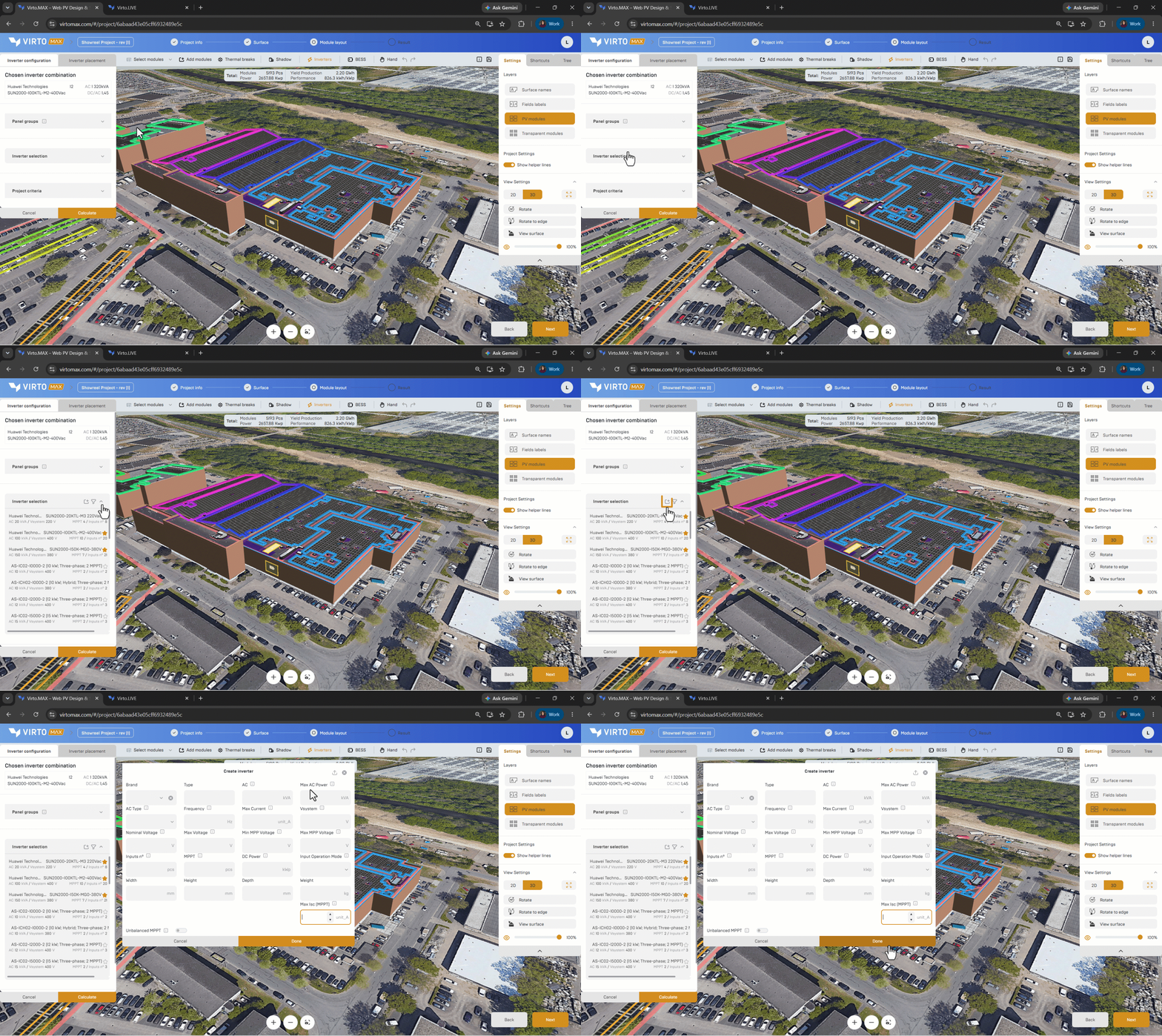
- Open the inverter-selection step or navigate to the inverter overview page.
- Select the add button in the inverter-selection step or click ‘create new inverter’ in the inverter overview page.
- Choose manual entry.
- Enter the manufacturer, model name, nominal AC power, input limits, MPPT information, and other required electrical values.
- Review the units and save the inverter.
- Select it for the current configuration.
Import an OND file
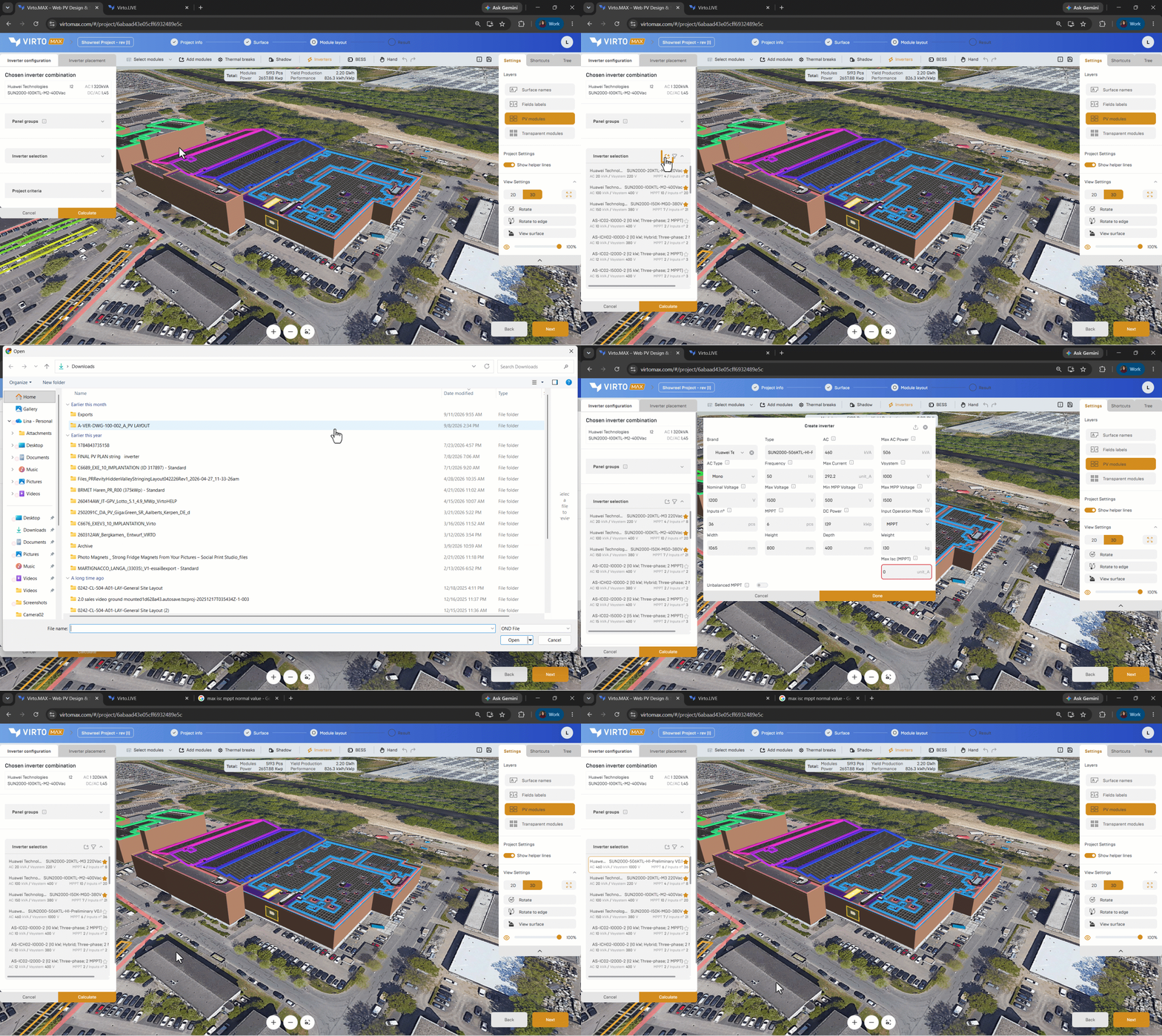
- Select the add button in the inverter selector or navigate to the module overview page.
- Choose the .OND import option.
- Upload the file.
- Review the imported model and electrical data.
- Save the inverter and use it in the configuration proposal.
Next step: Add inverters.