![White full logo.png]](https://help.virto.solar/hs-fs/hubfs/White%20full%20logo.png?height=40&name=White%20full%20logo.png)
Good to know: Virto.MAX subscriptions support an unlimited number of users within the licensed organisation.
Add a user
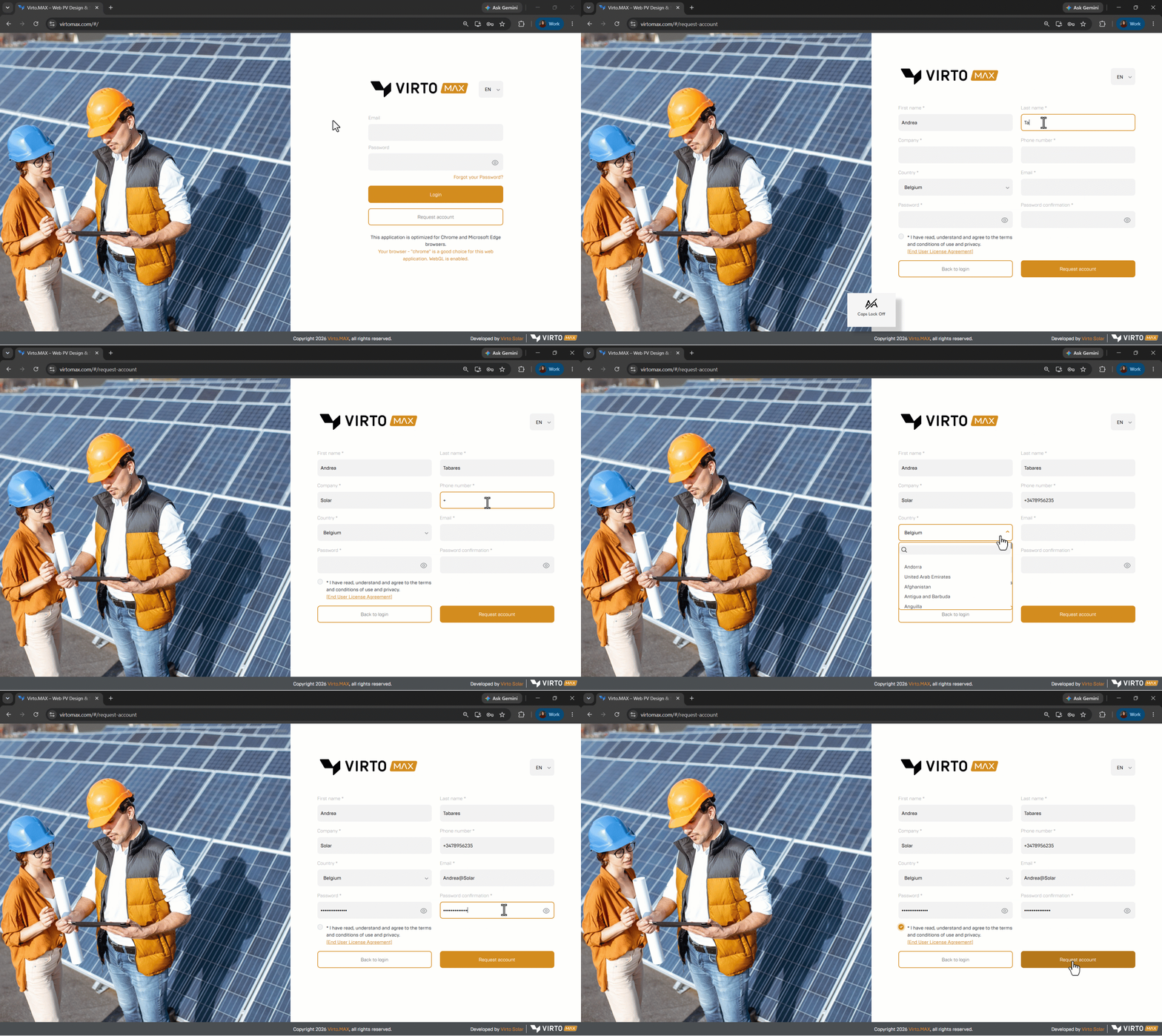
- Open the Virto.MAX login page.
- Select Request Account.
- Complete all required fields and submit the request. Use a corporate email address as personal email domains are not allowed..
- Open the activation email and follow the instructions to confirm the account. Check the spam or junk folder when the message is not visible in the inbox.
- Return to the login page and sign in with the registered email address and password.
If you encounter any issues, please contact our support team using the following form: Submit a support ticket