![White full logo.png]](https://help.virto.solar/hs-fs/hubfs/White%20full%20logo.png?height=40&name=White%20full%20logo.png)
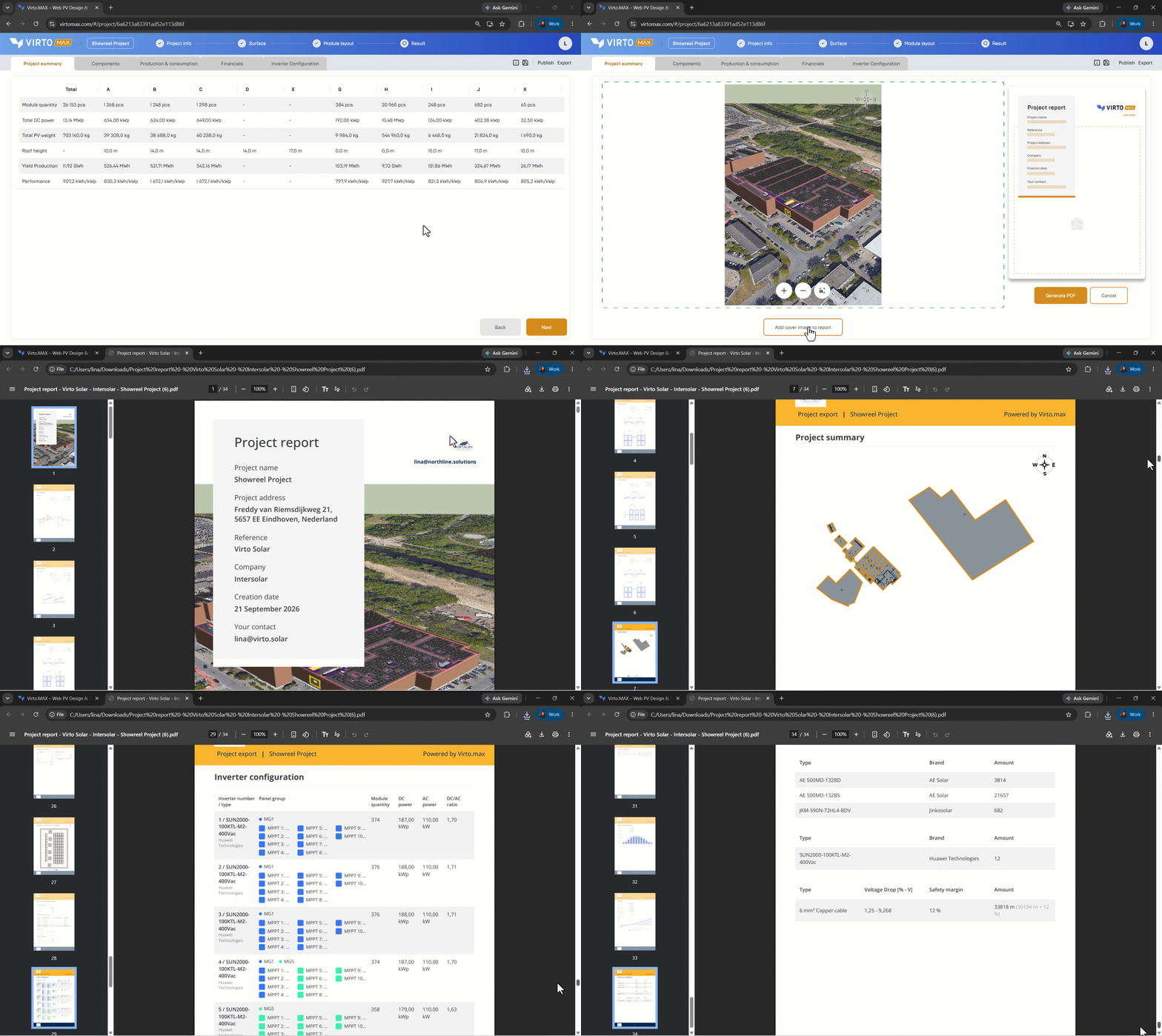
- Navigate to the result section and click on export in the top right corner.
- Select ‘PDF’ report
- Select a suitable cover image or project view.
- Generate the PDF report.
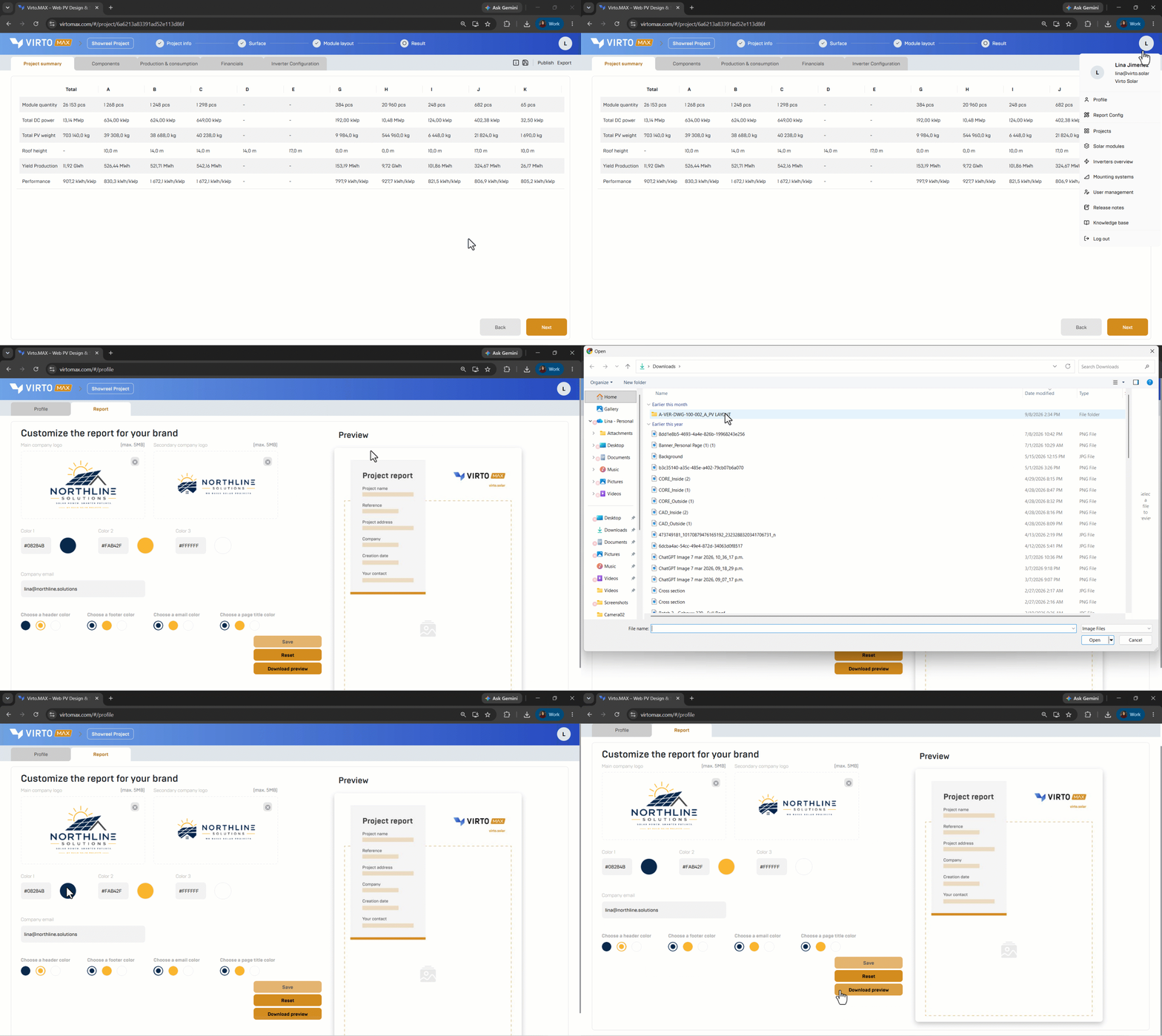
You can customize the report by adding your company’s logo and brand colors before generating the PDF.
Next step: Publish and share a project or Export to Virto.CAD and PVsyst.