![White full logo.png]](https://help.virto.solar/hs-fs/hubfs/White%20full%20logo.png?height=40&name=White%20full%20logo.png)
Create the team
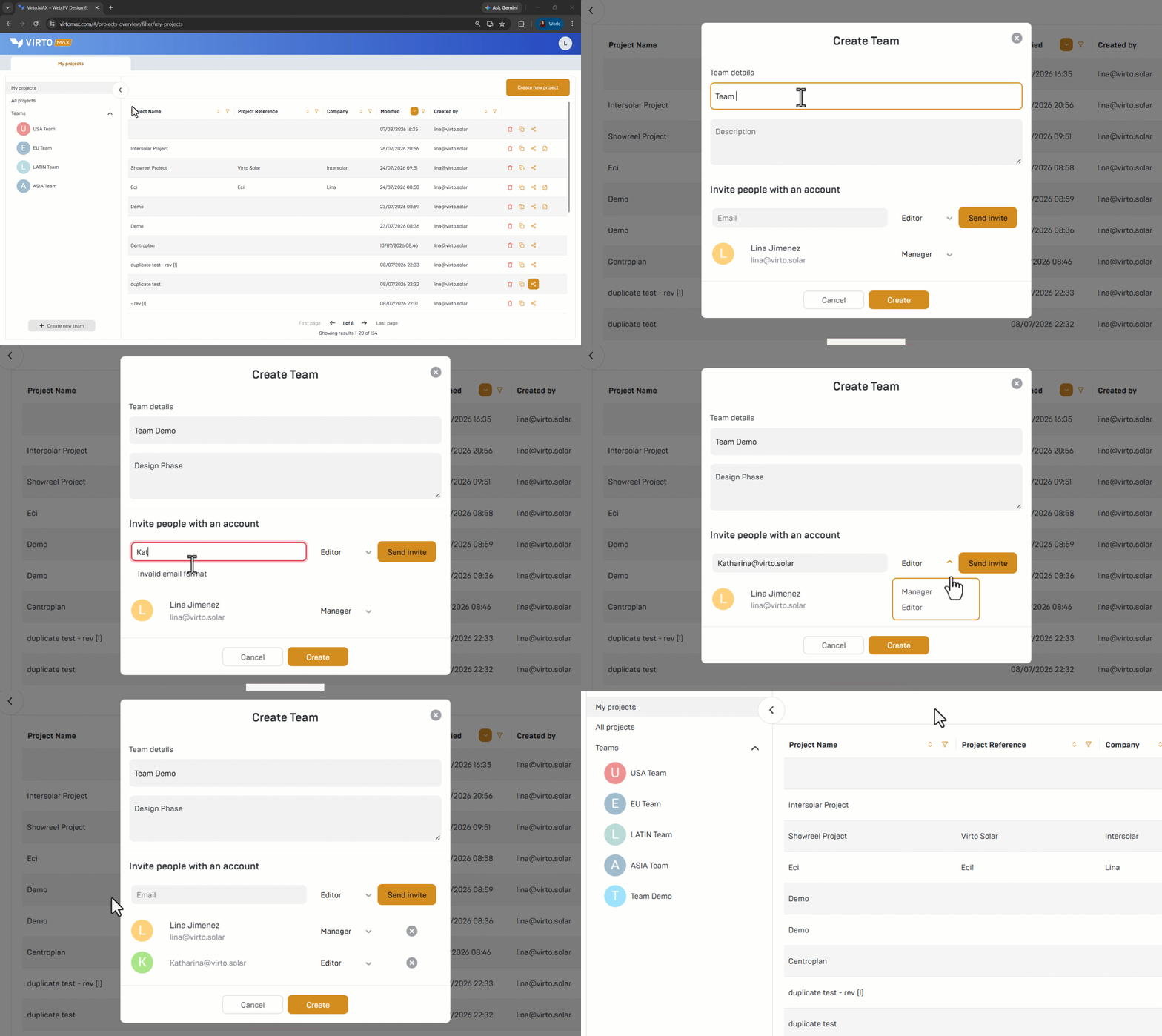
- Open Virto.MAX and go to Teams in the project dashboard.
- Select Create new team.
- Enter a team name and description.
- Add colleagues with their email addresses, select the role and send the invitations.
- Editor: Can create new project and edit existing ones
- Manager: On top of the editor rights, a manager can add & remove team members from the team. - Select Create. The team now appears in the Teams section.
Share a project
There are two ways to work with a team:
- Open the team and select Create new team project. The new project is immediately available to all team members.
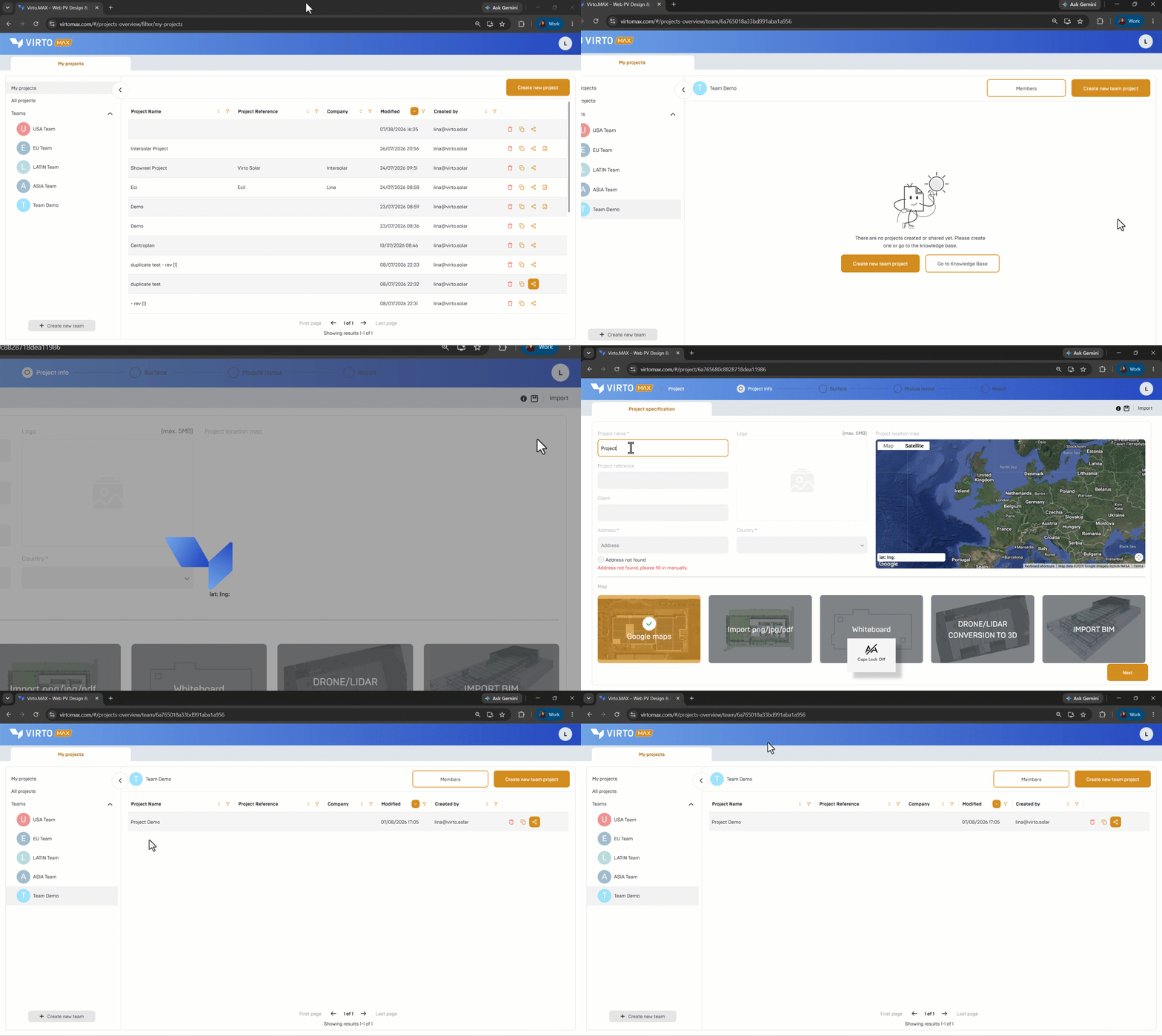
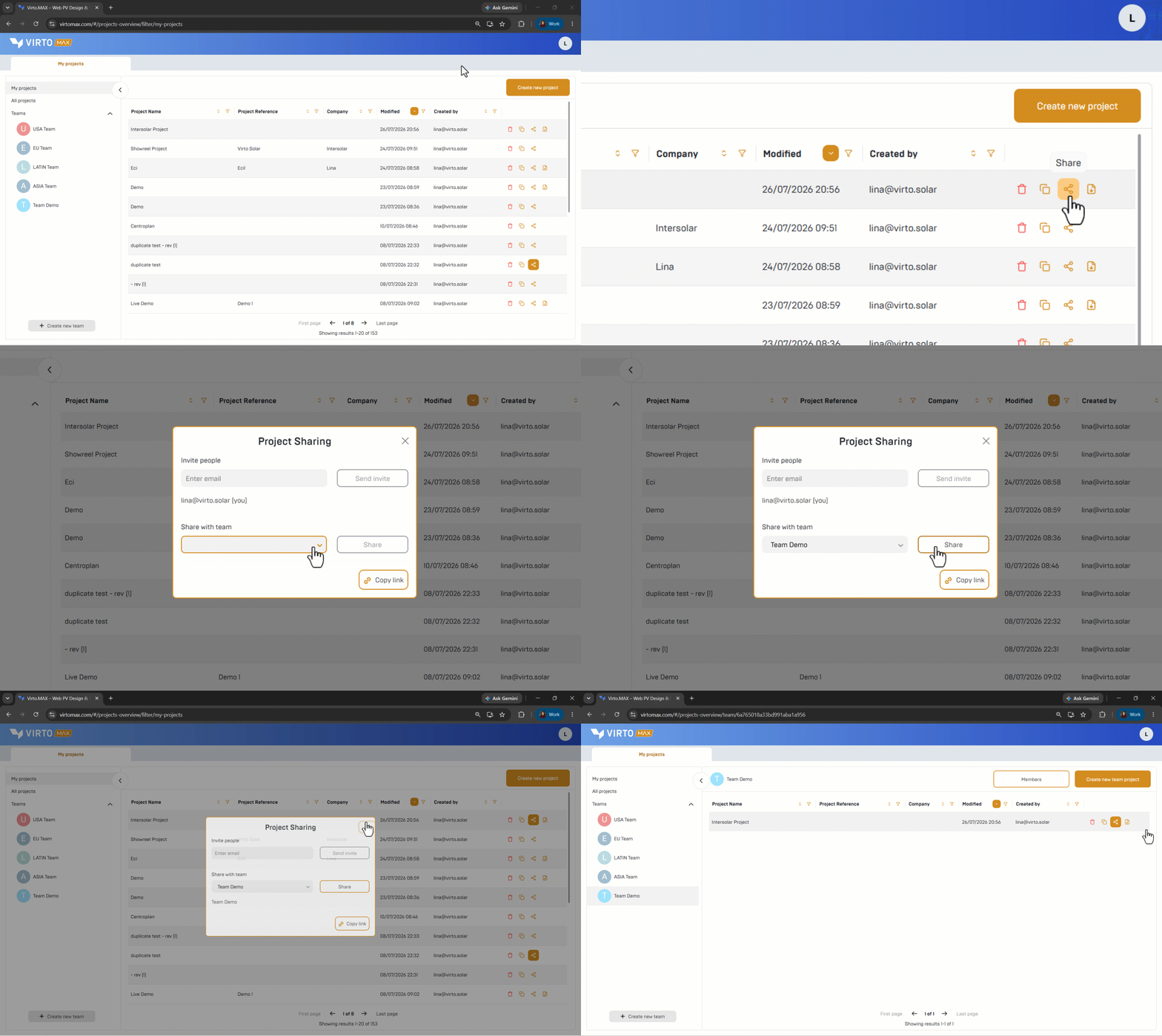
2. Navigate to an existing personal project in the project dashboard, select the share icon, choose Share with team, and select the required team.
Good to know: Team projects reduce handover risk because colleagues retain access during absences or role changes. A project outside a team can still be shared manually with selected users.
Next step: Start a project.