![White full logo.png]](https://help.virto.solar/hs-fs/hubfs/White%20full%20logo.png?height=40&name=White%20full%20logo.png)
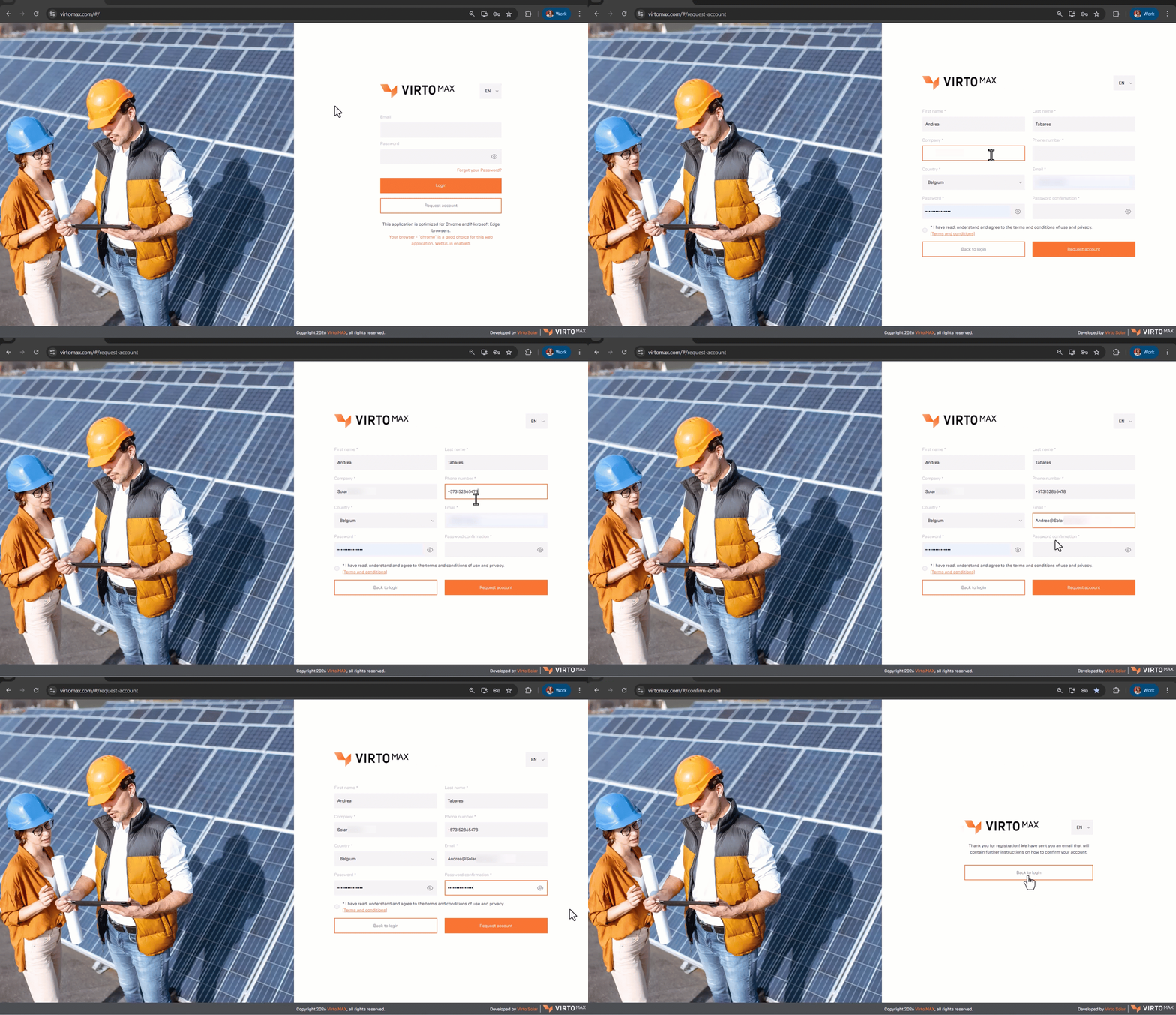
To add a new user, navigate to the Virto.MAX web application at: VirtoMAX.com
Click Request Account, complete all required fields, and then click Request Account again to submit your request.
Ensure that you register using your corporate email address so we can verify you are part of your organization and grant you access promptly.
You will receive an email at the address you provided with instructions to confirm and activate your account. Make sure to check your spam folder as well.
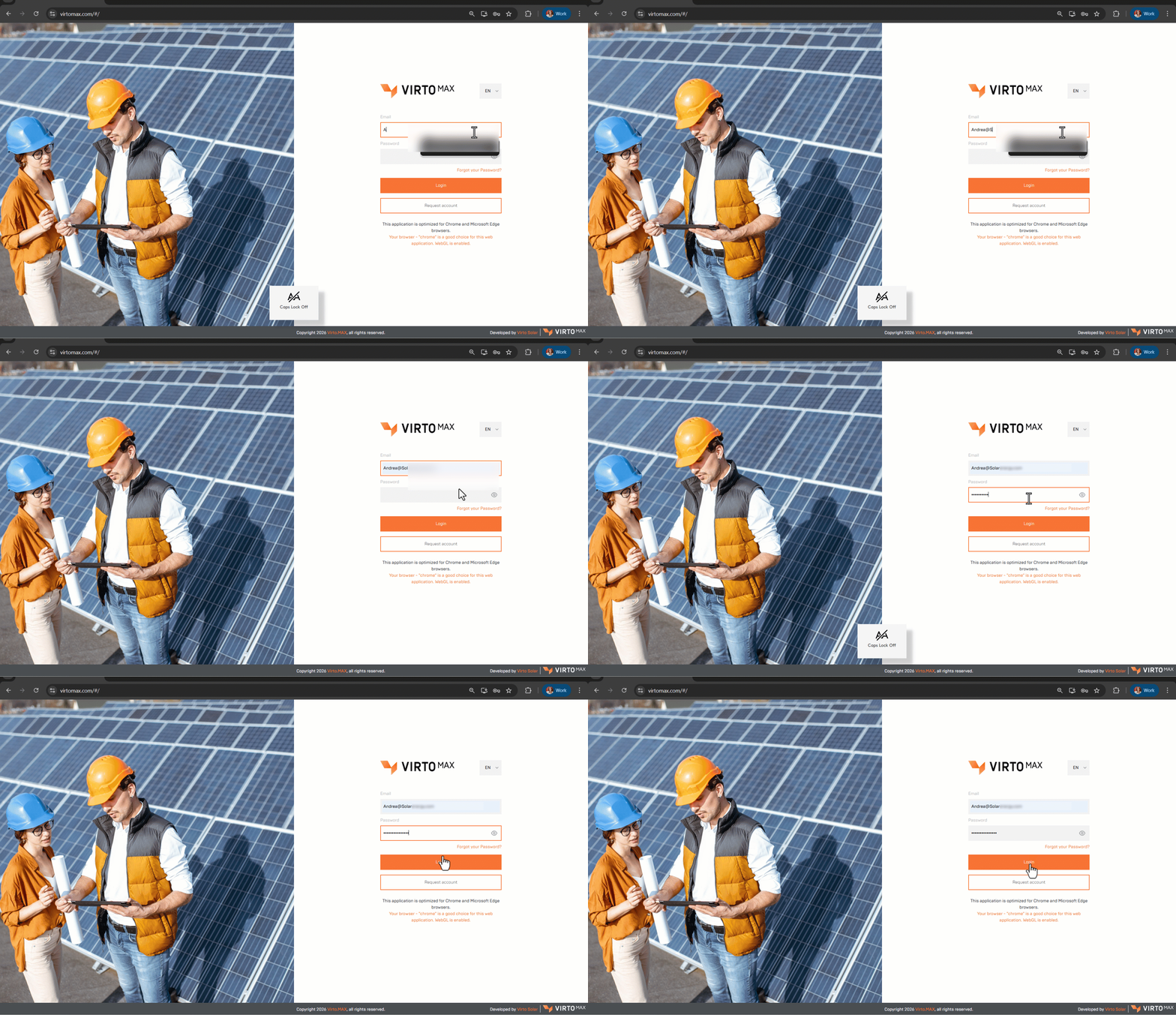
After confirming your account, return to the login page and sign in using the email address you registered with and the password you created for your account.
If you encounter any issues, please contact our support team using the following form: Submit a support ticket