![White full logo.png]](https://help.virto.solar/hs-fs/hubfs/White%20full%20logo.png?height=40&name=White%20full%20logo.png)
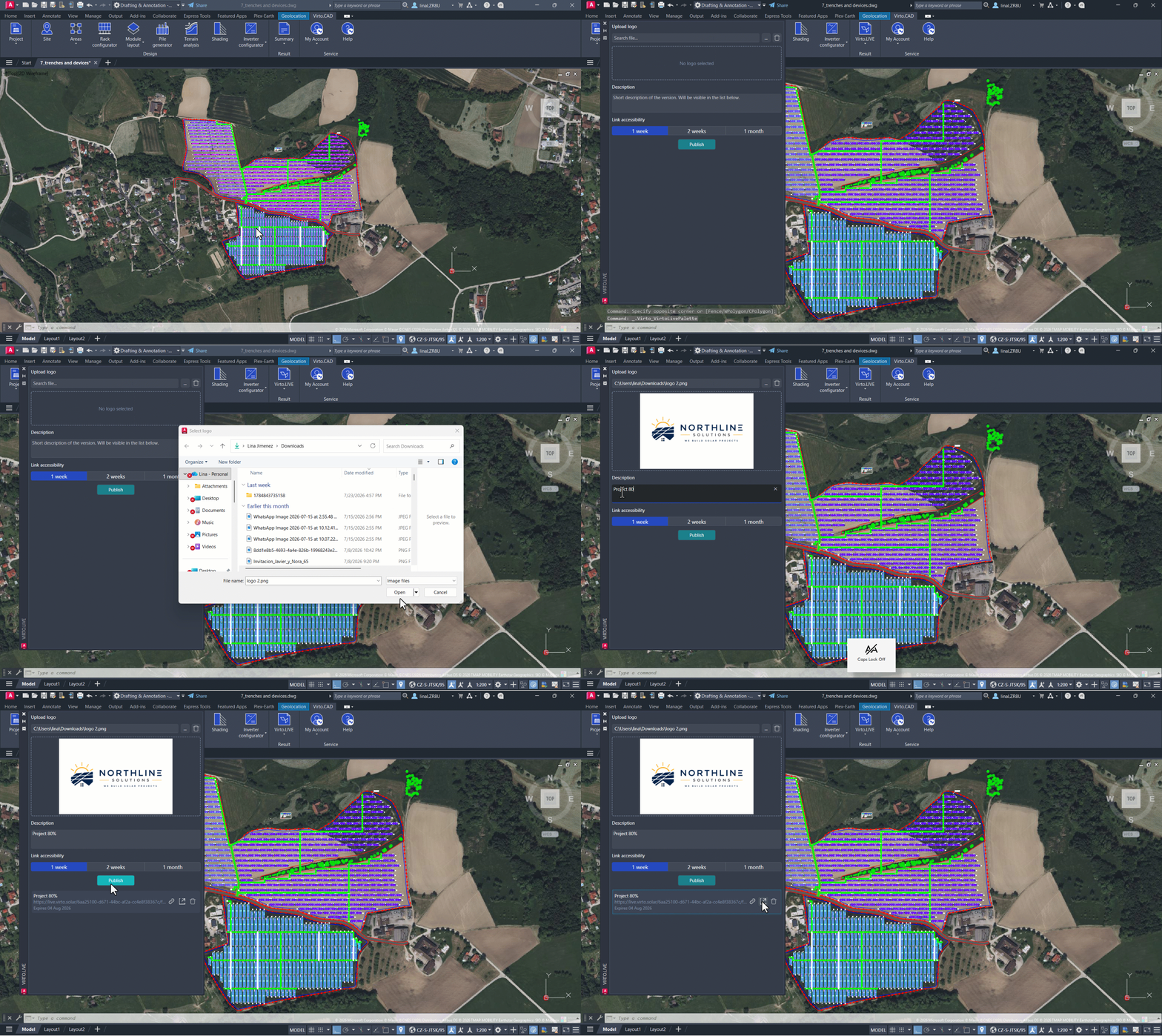
Click the Summary dropdown and select the Virto.LIVE icon. This will open a new window. At the top, you can upload your company logo so it appears in the final share, along with a description.
Choose whether you want to publish your project for 1 week, 2 weeks, or 1 month, then click Publish. A link will be generated, and you can choose to copy it, open it, or delete it.
When you open this link in a browser, you or anyone you share it with will be able to view your project rendered in 3D. On the upper-right side, you will also see a project summary that includes the number of modules and the total power capacity. You can also adjust the date and time to review shading and lighting conditions.
