![White full logo.png]](https://help.virto.solar/hs-fs/hubfs/White%20full%20logo.png?height=40&name=White%20full%20logo.png)
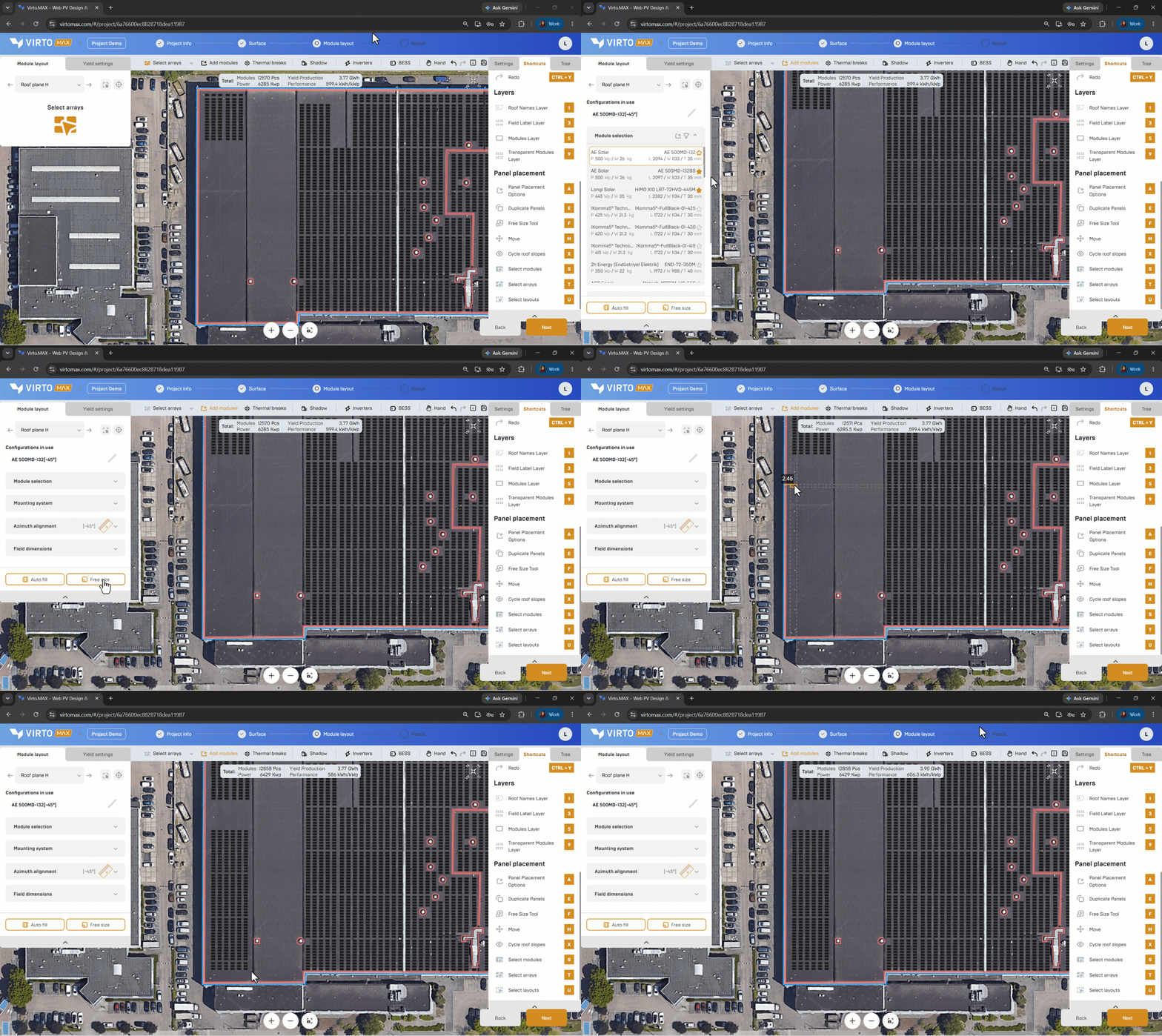
Select what you want to edit
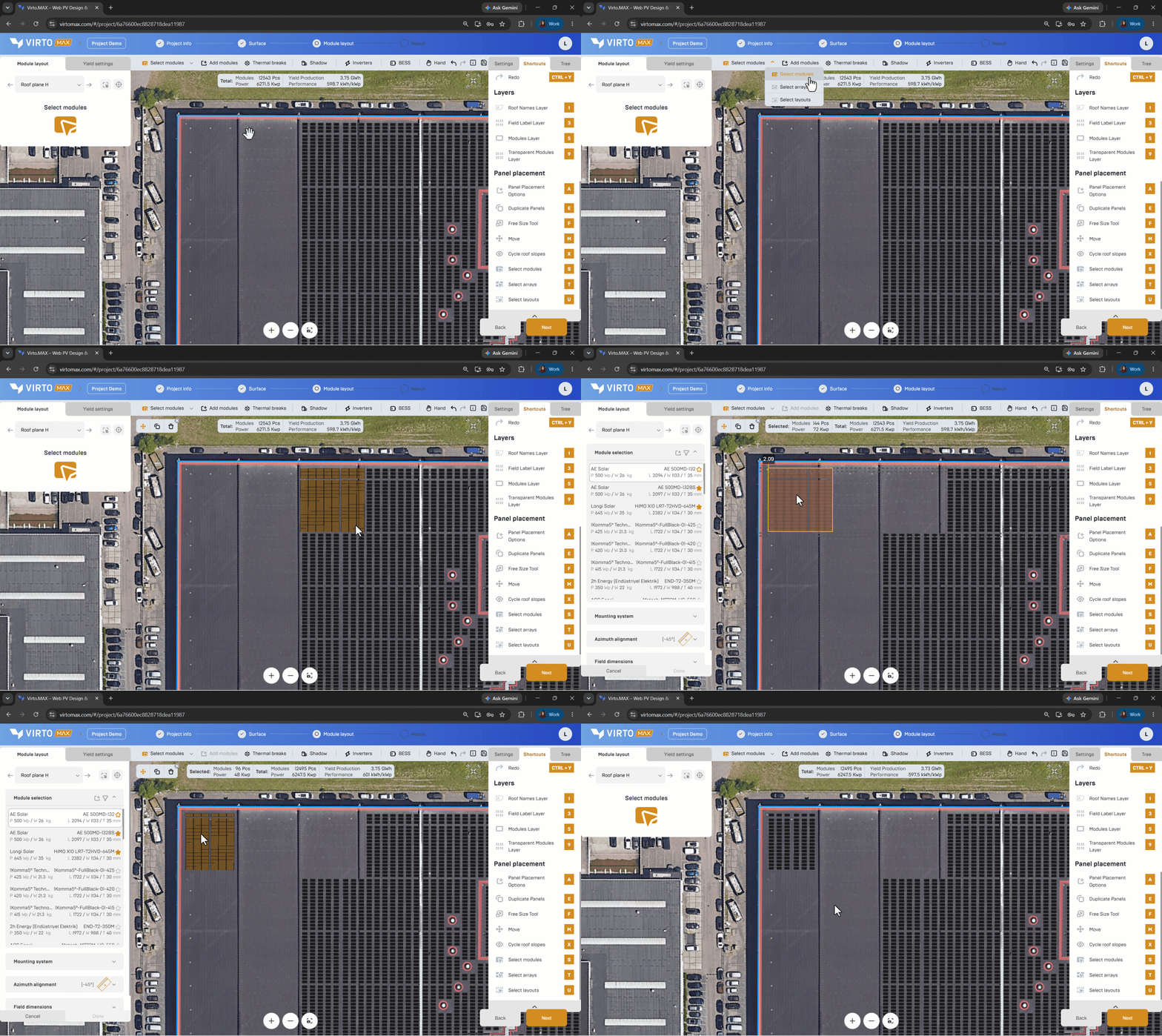
- Open the selection tool.
Shortcuts are also available to help you save time during these operations.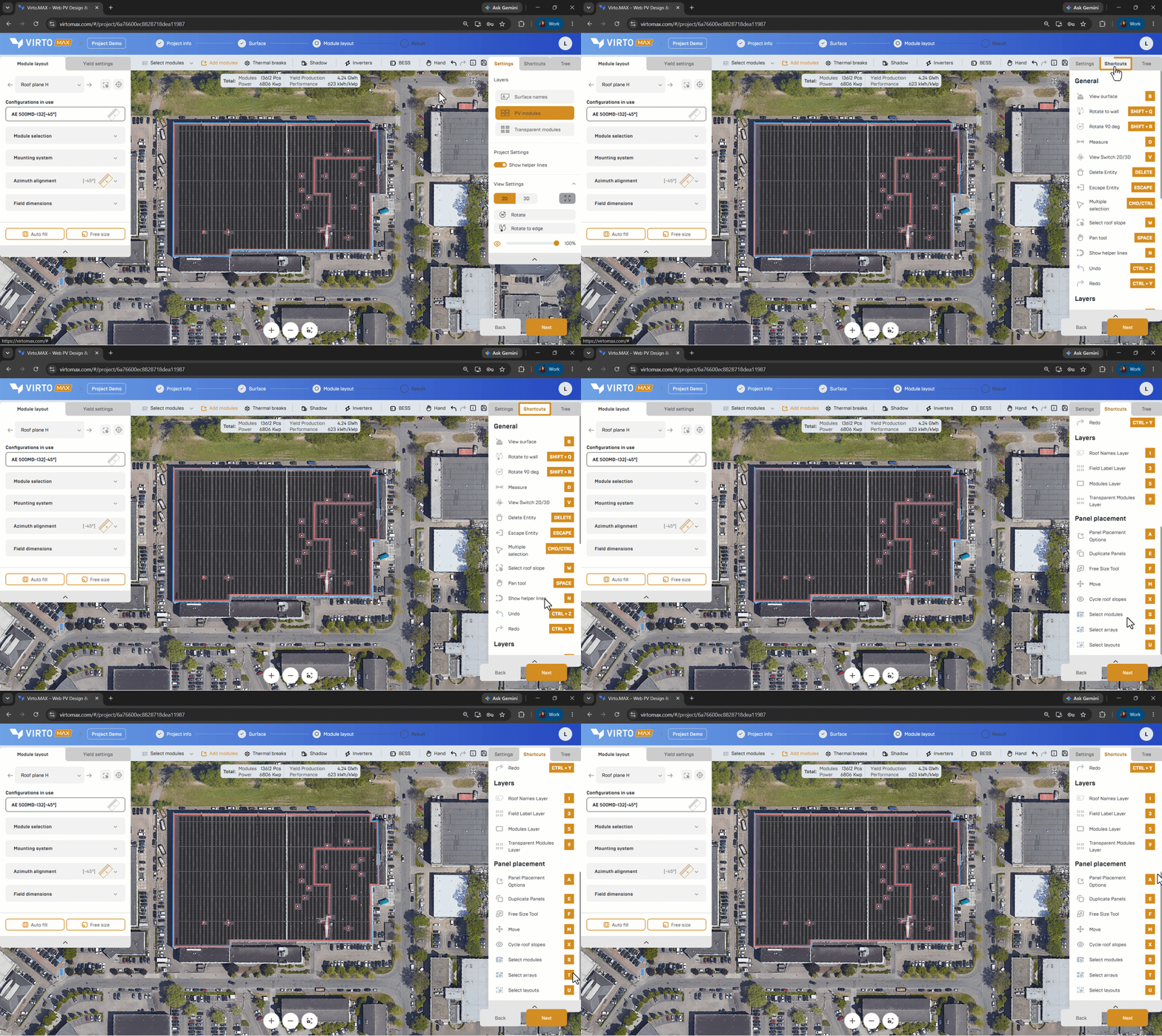
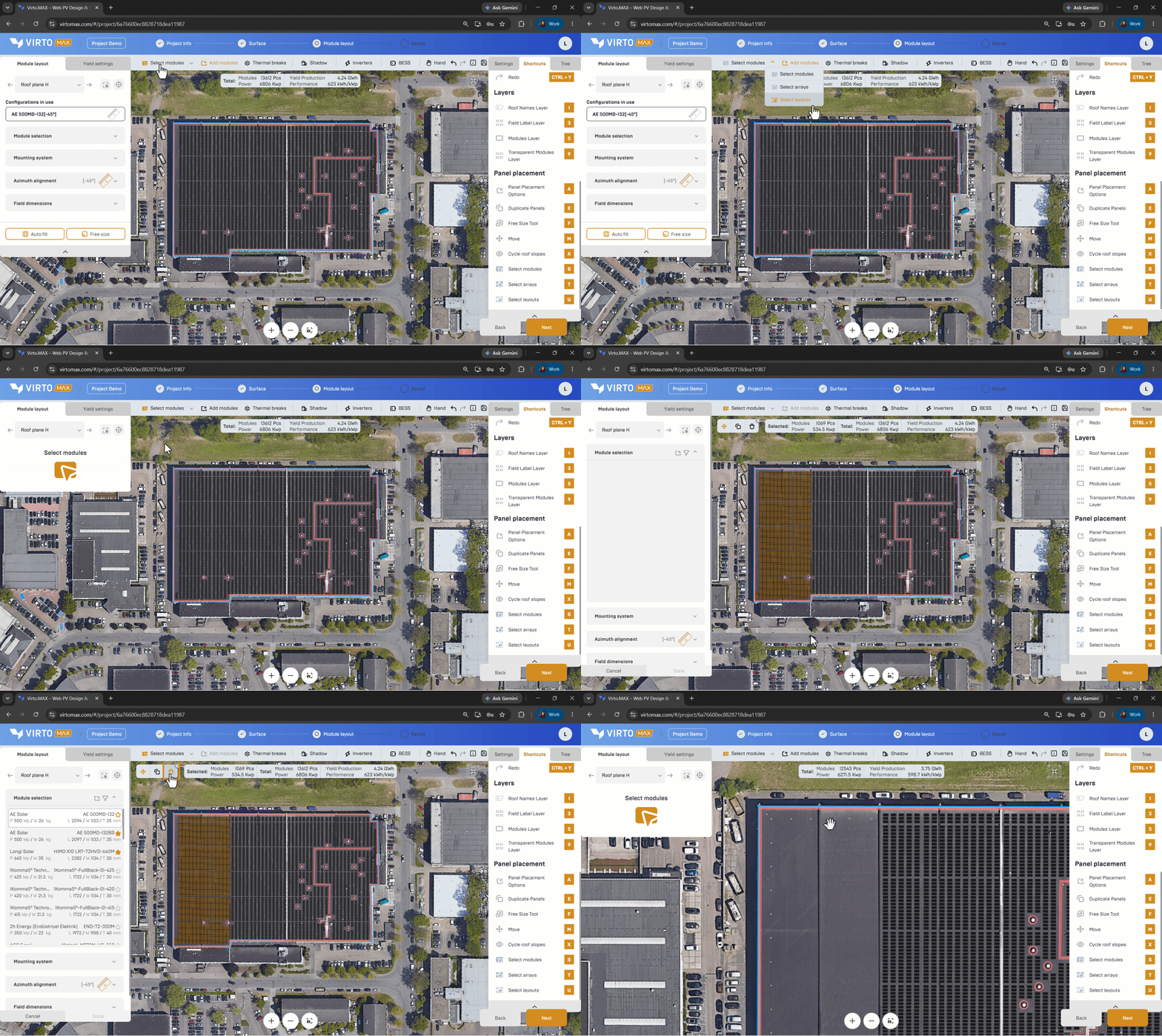
- Choose the appropriate selection level:
- Individual modules or racks.
- A complete module field or array.
- The full layout on the selected surface.
3. Click or window-select the objects in the drawing.
Edit the selection
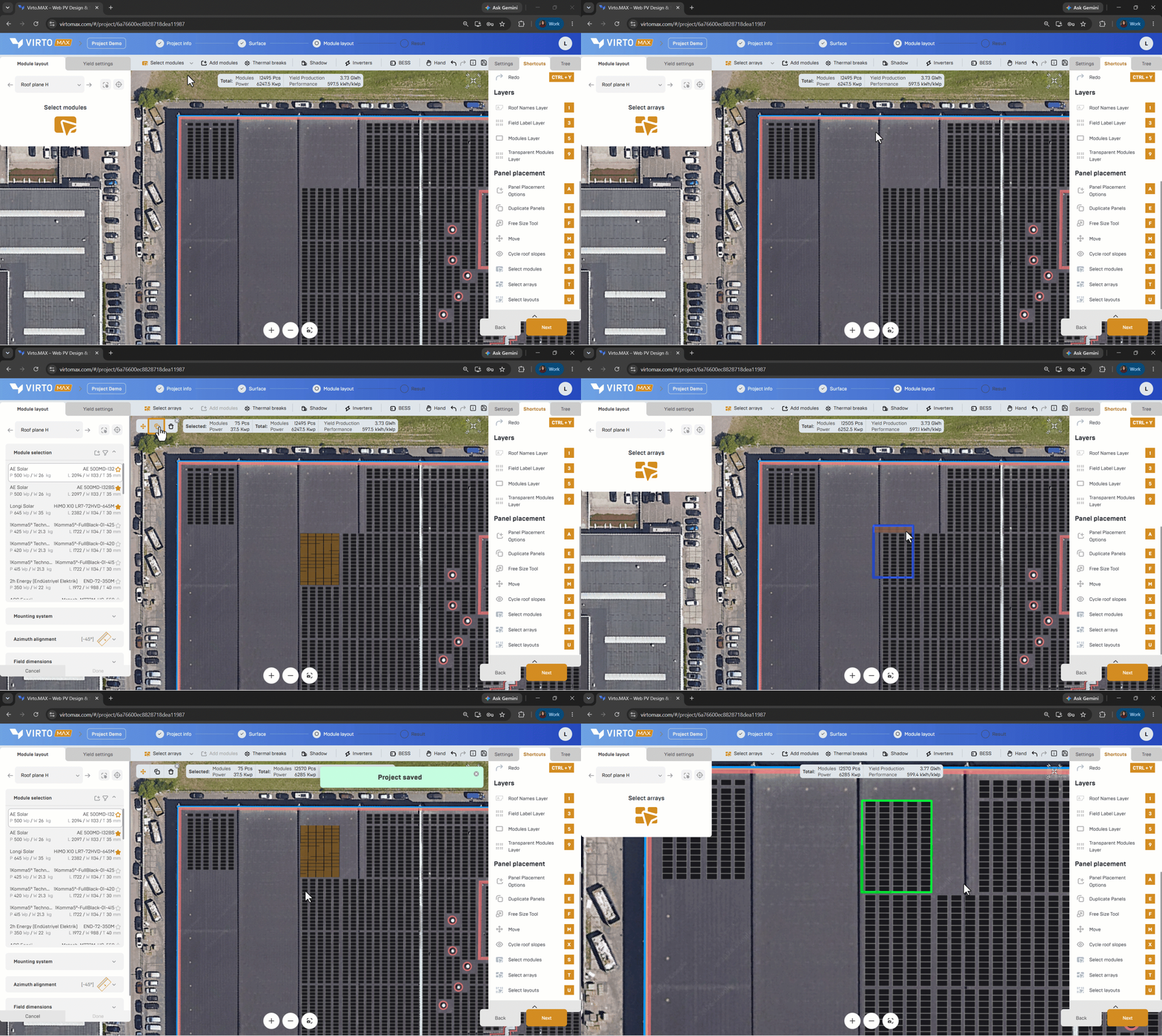
Use the contextual actions to:
- Move the selected objects to a new position.
- Duplicate the selection and place a copy.
- Delete the selection.
Use helper lines and snapping when the moved or duplicated selection must align with another field.
- Add modules to continue with the same or another configuration.
Work across several surfaces
Select the required roof face or ground surface before editing. Use the object tree or roof-cycle control when the intended objects are difficult to select directly in the model.
Good to know: Re-run shadow and yield analysis after changes that affect orientation, spacing, or the number of modules.
Next step: Adjust thermal breaks or Simulate shadow.