![White full logo.png]](https://help.virto.solar/hs-fs/hubfs/White%20full%20logo.png?height=40&name=White%20full%20logo.png)
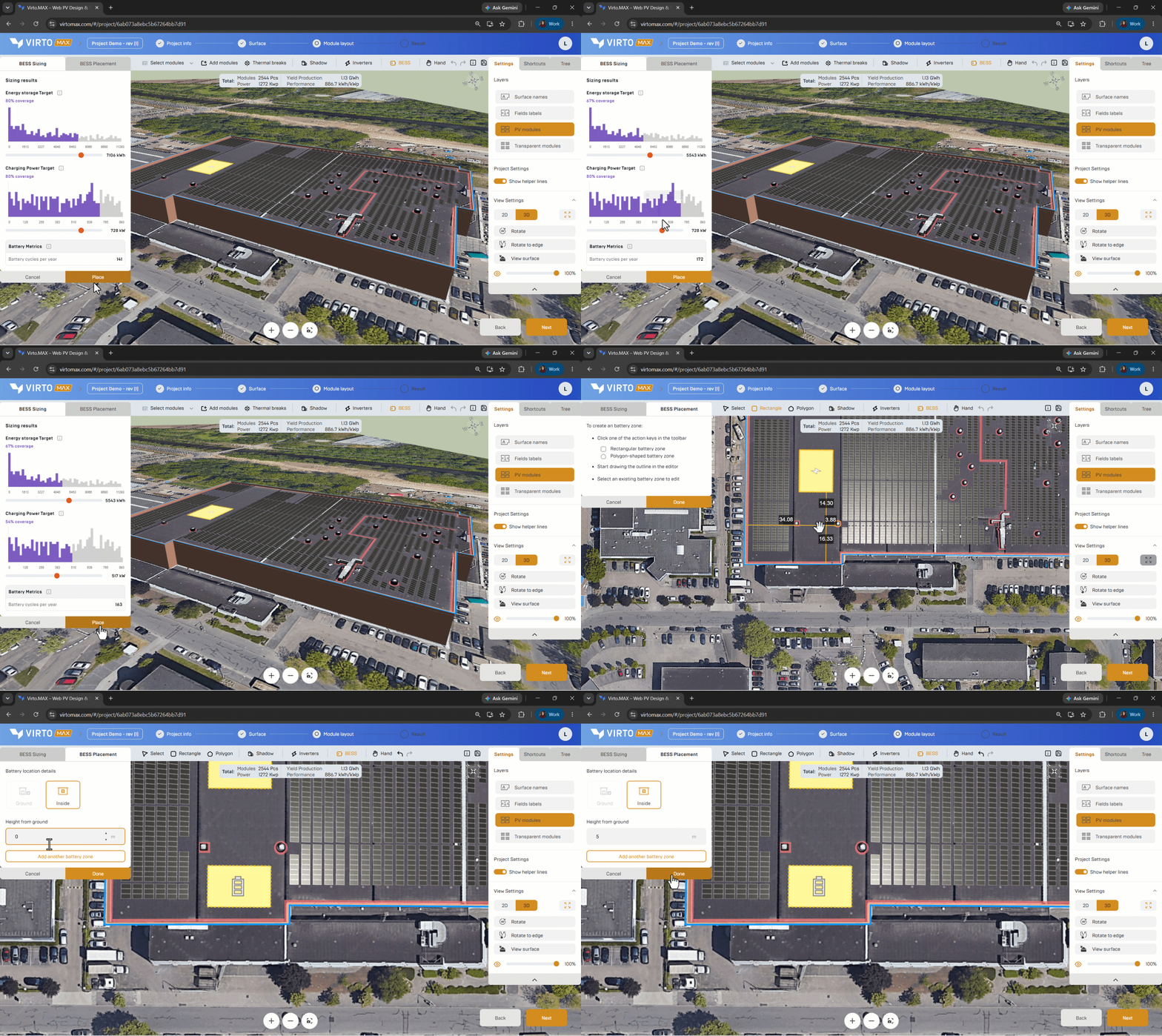
Place the battery
- In the toolbar, choose Rectangle for a regular shaped or Polygon for a custom shaped battery zone.
- Draw the intended battery zone inside a building or on a site zone supported by the project model. All created battery zones will become visible in the editor, sharable links and pdf reports
Next step: Evaluate production and consumption or Create a financial model.