![White full logo.png]](https://help.virto.solar/hs-fs/hubfs/White%20full%20logo.png?height=40&name=White%20full%20logo.png)
Place the inverters
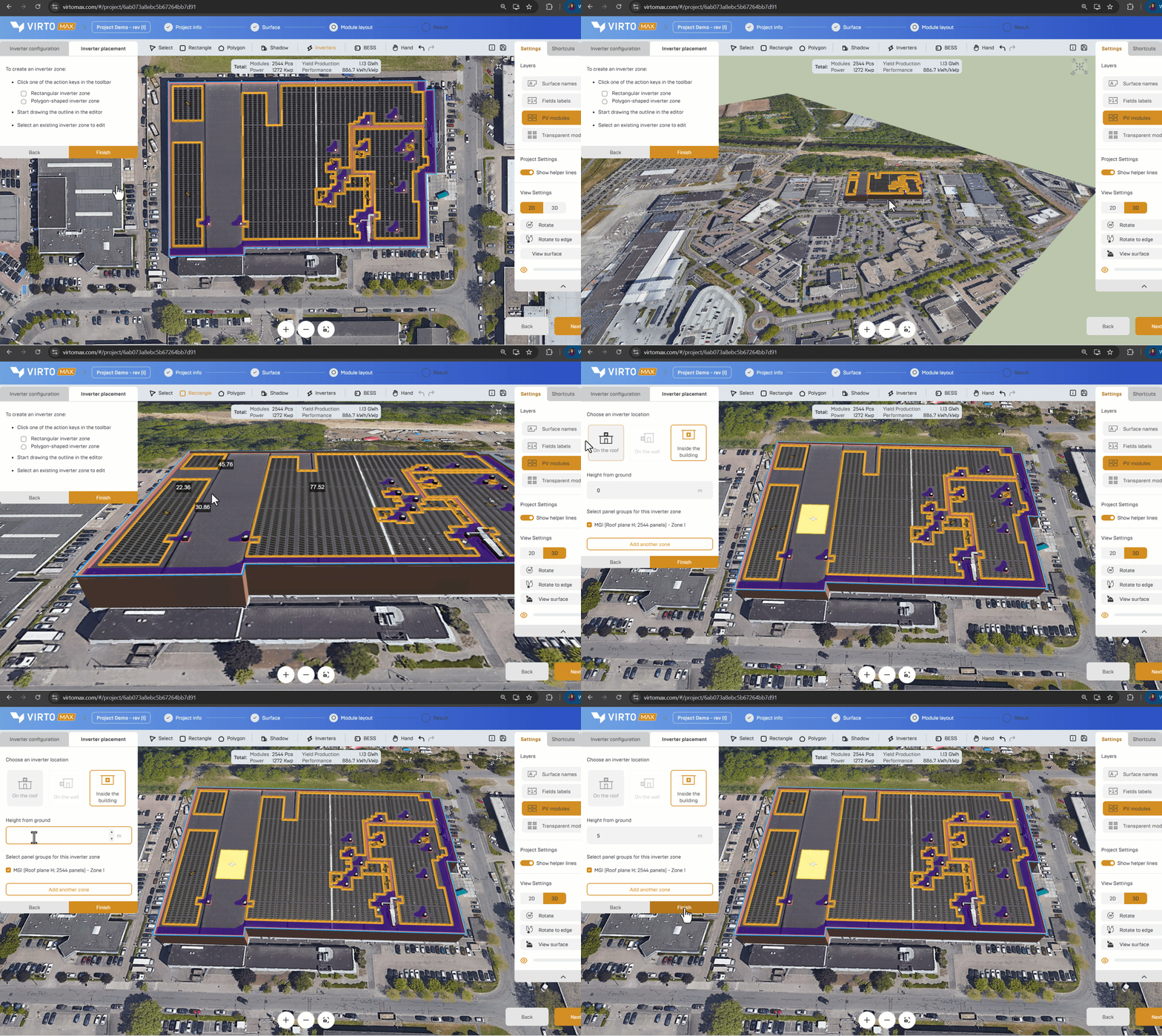
- In the toolbar, choose Rectangle for a regular shaped or Polygon for a custom shaped inverter zone.
- Draw the intended inverter location on a roof, wall, internal area, or site zone supported by the project model.
- Select the module group linked to this inverter location to support the cable size & length estimation.
- Add another inverter zone or confirm the placement. Now the estimated cable sizes and lengths are added to the component list. All created inverter zones will become visible in the editor, sharable links and pdf reports
Next step: Estimate cable lengths and sizes or Review the project overview and create a report.