![White full logo.png]](https://help.virto.solar/hs-fs/hubfs/White%20full%20logo.png?height=40&name=White%20full%20logo.png)
Choose the objective
-
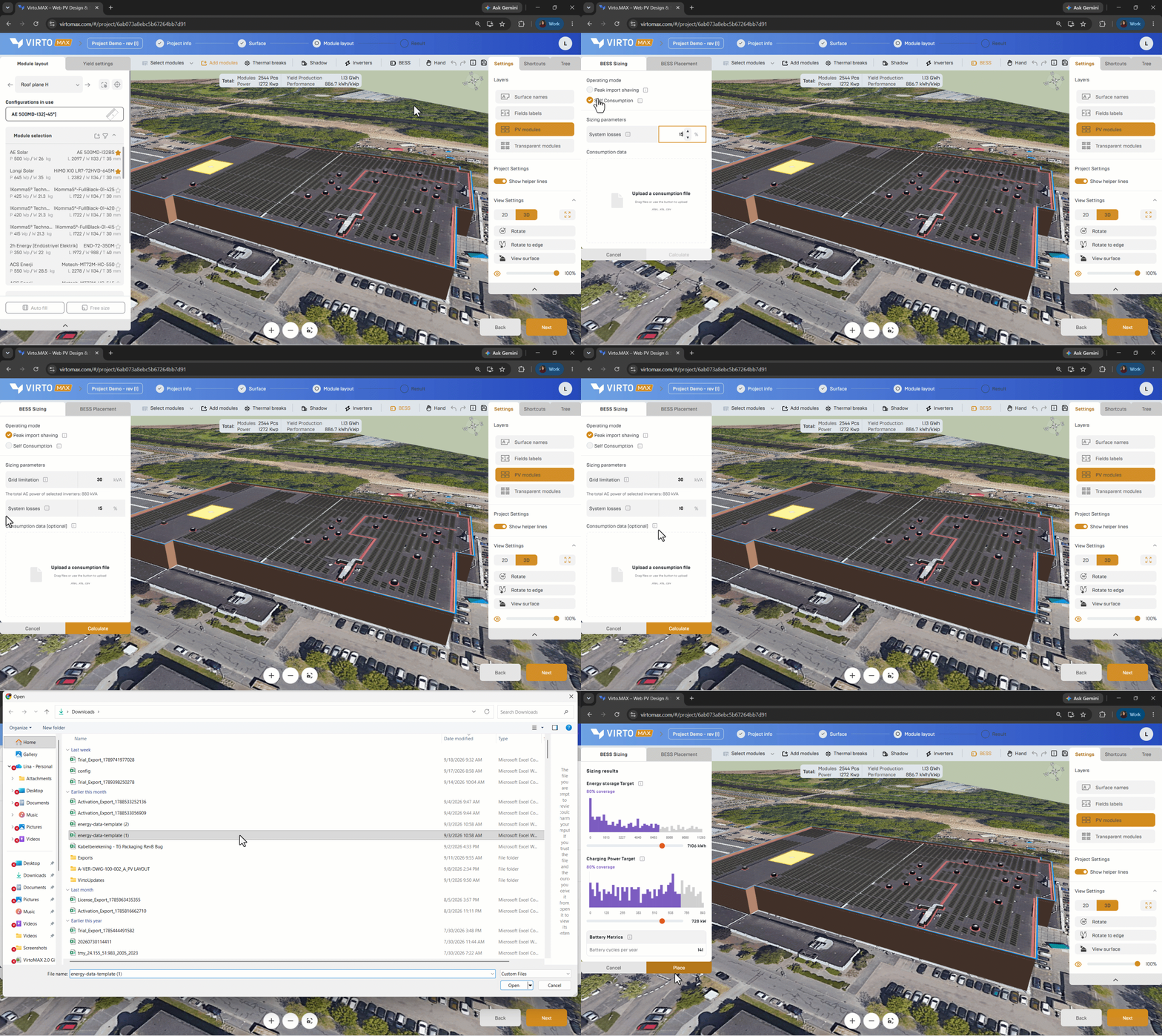
Open the battery-sizing workflow.
-
Select the one or multiple battery operating modes:
-
Self-consumption: increase the share of PV energy used on site.
-
Peak load shaving: reduce the highest grid-import peaks.
Enter Sizing Parameters
-
Grid Limitation: maximum apparent power the facility is permitted to draw from or export to the utility grid.
-
System Losses: % of energy dissipated as heat during charging & discharging of the battery.
Consumption data
Upload a consumption data file in .xlsx, .xls, or .csv format for rooftop systems with an on-site consumer, such as a factory.
When provided, the consumption data is subtracted from production before sizing, so the battery is sized around the actual grid export peaks. Leave this field empty for ground-mounted systems without a nearby consumer.
To download the upload template, go to the Results section. In the Production and Consumption tab, click Upload consumption data. In the side panel that opens, select Download template.
Place the battery
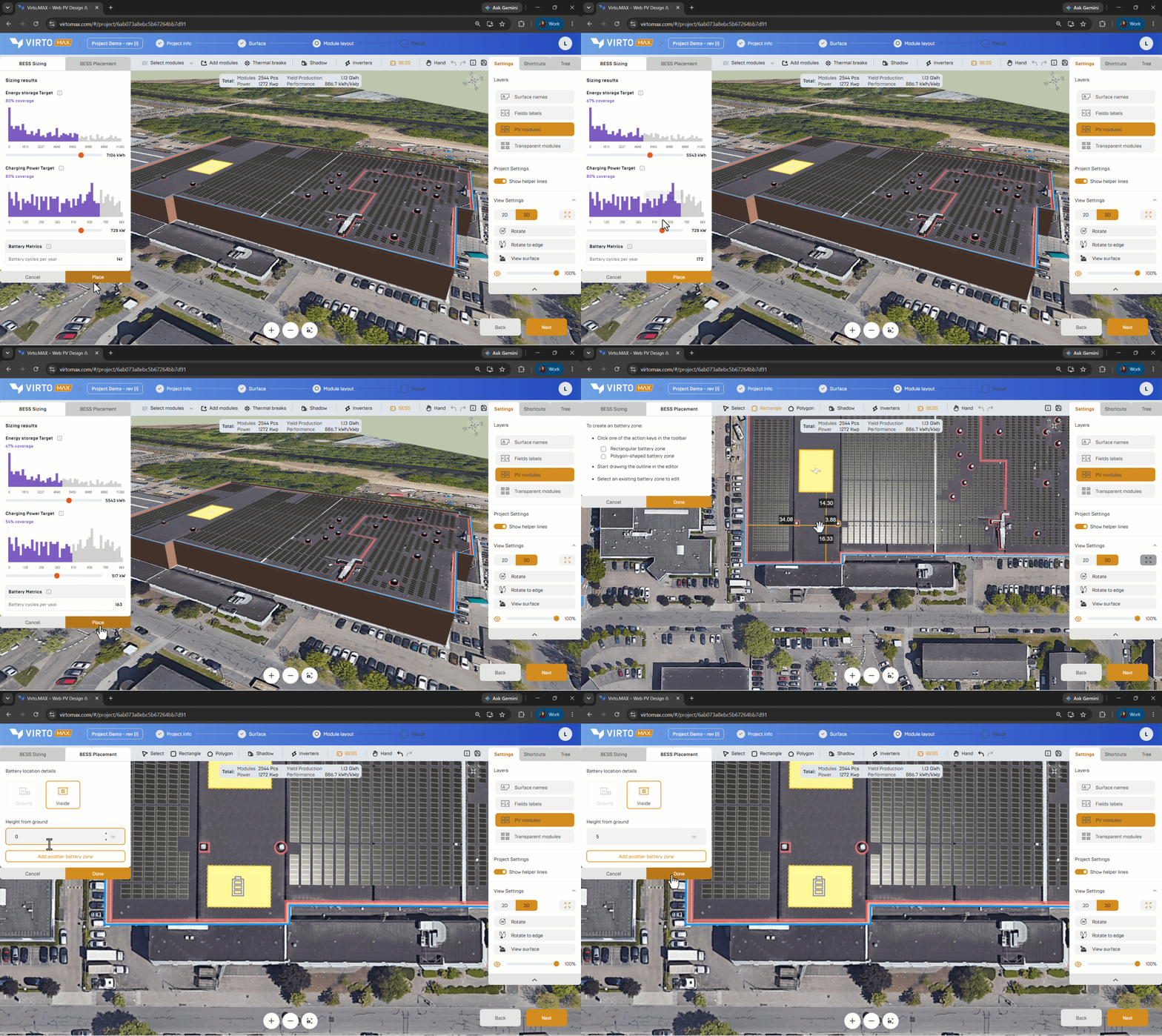
- In the toolbar, choose Rectangle for a regular shaped or Polygon for a custom shaped battery zone.
- Draw the intended battery zone inside a building or on a site zone supported by the project model. All created battery zones will become visible in the editor, sharable links and pdf reports
Good to know: Battery sizing in Virto.MAX supports feasibility and option comparison. Confirm fire safety, access, ventilation, structural loading, electrical protection, grid requirements, and manufacturer installation rules during detailed engineering.
Next step: Evaluate production and consumption or Create a financial model.